Mail or Jail Controls
Every input you need to unload trucks, verify IDs, deliver mail, and send thieves to jail without getting fired.
Mail or Jail by Delivery Day Studios is a Roblox postal simulation where one wrong button press can cost you a shift. Before you rush into Shift 1 tips or the full seven-shift walkthrough, you need a clean mental map of how the game reads your inputs on every supported platform.
This controls hub covers the shared loop that every device uses: arrive at the depot, unload the morning truck, compare customer IDs against delivery slips, hand packages to the correct recipient, detain anyone trying to steal mail, and react when random events interrupt your route. Desktop players get precision; mobile and console players trade screen space for portability. Both paths lead to the same firing screen if you stack mistakes.
What every platform shares
Regardless of device, Mail or Jail breaks each shift into repeatable phases. You interact with the truck cargo bay to pull parcels, open the ID verification UI to match photo, name, and address, then walk or sprint to house markers on the route. Thief encounters add a chase or grab window where you must initiate an arrest before they escape with a box. Random events layer on top without pausing the core delivery timer, which is why muscle memory matters.
The game supports Desktop, Mobile, Tablet, and Console according to the official experience page (place 70663806238212, universe 10450718227). Cross-platform parity is good for co-op sessions with friends, but control feel differs enough that we split platform guides instead of burying details in one list.
Pick your platform guide
- Desktop controls — Mouse look, keyboard movement, and the fastest ID-check workflow for PC players who want minimum mis-clicks during peak delivery rushes.
- Mobile and console controls — Touch joysticks, action buttons, and gamepad layouts for phone, tablet, Xbox, and PlayStation sessions away from a desk.
If you are brand new, read desktop first even on mobile. The verification checklist is identical; only the binding changes.
Controls tied to core mechanics
Truck unloading uses your primary interact key or on-screen action button while facing the cargo ramp. Grab parcels in the order the game expects when possible; dropping boxes or leaving items behind counts toward mistake limits discussed in Shift 1 tips.
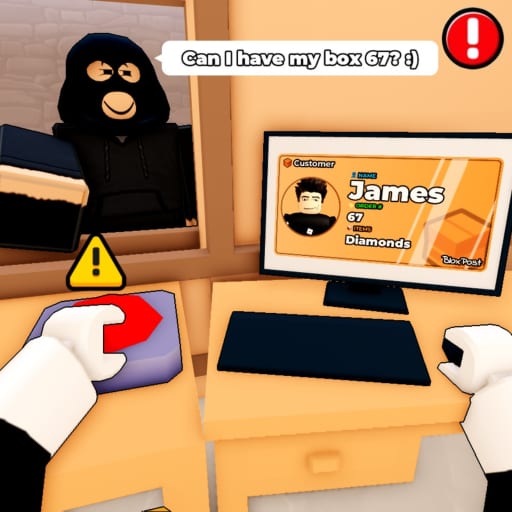
ID verification opens a panel where you compare the customer portrait, printed name, and street against the package label. Reject mismatches before handing over mail. Approving a thief disguised as a resident is one of the fastest ways to lose a shift. Use the ID checklist when learning the flow.
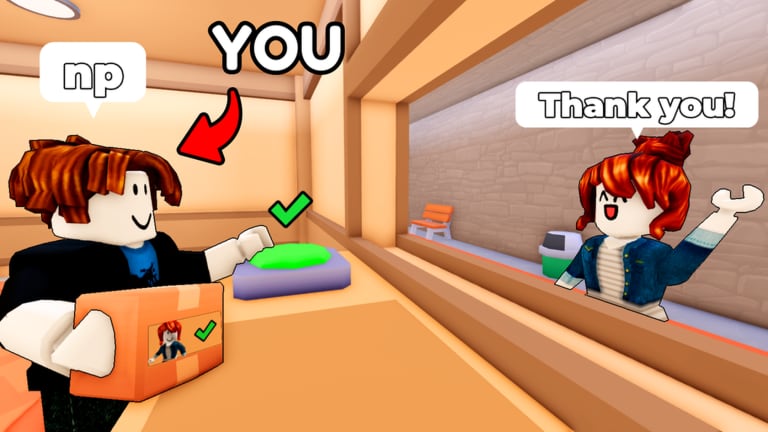
Delivery requires you to stand at the correct doorstep marker and confirm handoff. Wrong-house deliveries are a classic postal sim failure state and Mail or Jail punishes them consistently across shifts.
Jail / arrest inputs appear when a package thief spawns or when an NPC fails verification. Timing matters: hesitate and they run; grab the wrong person and you may earn a mistake toward getting fired.
Mistakes, firing, and why inputs matter
Official copy warns that too many mistakes get you FIRED, ending the run early. That makes control discipline as important as route knowledge. Track errors with the shift mistake tracker if you are learning. Pair control practice with Event survival tips because random hazards often force extra movement during the same shift window.
Bonuses and quality-of-life
Like the game and join the Delivery Day Studios Roblox group (ID 372114481) for the published in-game bonus. Claiming group rewards before practicing controls saves you from re-learning bindings mid-shift.
Where to go next
After you can unload, verify, and deliver without fumbling:
- Start the Mail or Jail full walkthrough for Shift 1 through Shift 7 pacing.
- Read Random events so you know which inputs change during hazards.
- Browse the Guides hub for broader how-to-play articles.
- Check the Codes page before long sessions.
- See our Mail or Jail review for an honest look at difficulty curves on each platform.
Controls are not glamorous, but they are the difference between finishing all seven shifts and watching the fired screen. Pick your platform page above and drill the loop until ID checks feel automatic.
Frequently Asked Questions
Quick answers players ask after every shift.
Does Mail or Jail support controller on console?
Yes. The official game listing includes Console alongside Desktop, Mobile, and Tablet. Use our [mobile and console controls](/controls/mobile-console/) page for gamepad-oriented tips.
Are PC controls required for the easiest first clear?
Many players prefer mouse-and-keyboard for faster ID panel navigation, but mobile and console are fully playable. Focus on verification accuracy over device elitism.
Which wiki page covers thief arrests?
Arrest inputs are shared across platforms and appear during thief encounters covered in [Shift 1 tips](/shifts/shift-1-tips/) and [Catch package thieves](/guides/catch-package-thieves/).
Can I remap keys in Mail or Jail?
Roblox experiences sometimes expose limited binding options in settings. If remapping is unavailable, adjust Roblox client controls under Settings and practice on [desktop controls](/controls/desktop/).