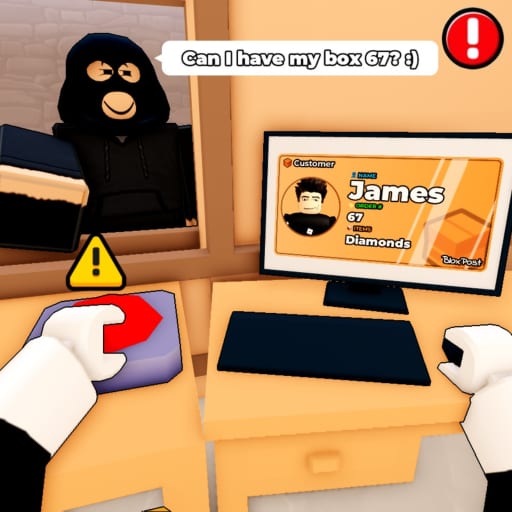
Mail or Jail Survive Seven Shifts
Finish the full Mail or Jail work week without triggering FIRED.

What seven shifts means
In Mail or Jail by Delivery Day Studios, a “run” is not a single afternoon. The career arc expects you to complete seven shifts — seven structured workdays — while keeping mistakes below the termination threshold. Any shift can end with FIRED if you misdeliver mail, botch ID checks, lose packages to thieves, or mishandle random events.
Place 70663806238212 (universe 10450718227) tracks progress across those days. Players on desktop, mobile, tablet, and console share the same rules. Visits (2.3M) and favorites (14k) show plenty of people start runs; fewer finish all seven cleanly.
This guide is about macro pacing: how to spread mental energy, when to spend mistake budget, and how to recover after a bad middle shift. Micro skills live in sibling pages — Check customer IDs, Catch package thieves, Handle random events.
For a chapter-style full run with embedded video, see Full walkthrough on the Shifts hub.
Shift structure at a glance
Each shift repeats the core loop from How to play:
- Unload truck
- Verify IDs
- Deliver correctly
- Catch thieves
- Weather random events
- End-of-shift review
Difficulty ramps through tighter timers, lookalike customers, paired thieves, and stacked events — not entirely new mechanics. Learning once applies all week if you respect pacing.
Detailed per-shift notes: Shifts hub.
Mistake economy across a week
Think of mistakes as a shared health bar across seven days:
- Shift 1–2: budget is forgiving — spend time learning, not sprinting
- Shift 3–4: neutral zone — one bad event can halve your margin
- Shift 5–7: treat every ID as lethal — one slip plus theft can end the run
Use the shift mistake tracker every session. If you enter shift 5 with more than half your budget gone, consider restarting the career early instead of limping into unavoidable late events.
Firing thresholds explained: Avoid getting fired.
Recommended weekly route
Days 1–2: accuracy boot camp
Goal: zero ID errors even if shift timer ranks you slow.
- Drill Check customer IDs triangle checks
- Ignore optional chases unless mail is physically stolen
- Like game + join group 372114481 via Group bonus when convenient — not mid-shift
Days 3–4: throughput under pressure
Goal: maintain accuracy while queue length grows.
- Introduce table patrol between customers (Catch package thieves)
- Read event telegraphs in Events hub
- Stop hunting codes — none verified active August 2026
Days 5–6: event stacking
Goal: survive compound randomness.
- Follow Handle random events default safe choices
- Pause deliveries during inspections until UI clears
- Switch to slower Roblox graphics on mobile if frame drops cause misreads
Day 7: closing shift mentality
Goal: cross finish line without hero plays.
- Pre-shift checklist: mistake tracker green, consumables stocked, sound on for thief cues
- Decline risky optional objectives not required for completion
- If one mistake early, enter ultra-slow ID mode — finishing clean beats speed badges
Recovery after a bad shift
Maybe shift 4 ended with two errors you did not expect. Options:
- Continue if tracker shows safe margin for shifts 5–7
- Restart career if math says one event equals termination
- Practice shift 3 in isolation (when game allows repeat) before recommitting
Never tilt into Scripts — exploits desync timing and risk bans.
Energy and session planning
Seven shifts rarely happen in one sitting. Split across days IRL to avoid fatigue misclicks.
| Session length | Suggested in-game progress |
|---|---|
| 30 minutes | 1 shift focus |
| 1 hour | up to 2 shifts if clean |
| 2+ hours | max 3 shifts with breaks |
Fatigue errors look like random typos on unit numbers — exactly what Check customer IDs warns about.
Platform planning for long runs
Desktop: best for long sessions; remap keys via Controls.
Mobile/tablet: play shorter segments; charging + cooldown prevents overheating throttling.
Console: ideal for steady camera; avoid marathon unless ID text size is comfortable.
Using the walkthrough without skipping fundamentals
The Full walkthrough shows real Mail or Jail footage — use it to learn spawn timing, not to skip reading ID rules. Pause between beats and verbalize recipient names like the verification guide suggests.
This page focuses on decision-making between days; the walkthrough page carries the longest embedded run.
After you beat shift seven
Celebrate, screenshot, then:
- Push flawless weeks with Tools
- Write mental notes for Review comparisons
- Watch Updates — new shifts may extend career mode later
- Help friends via Links official page, not fake code strings
Related pages
Frequently Asked Questions
Quick answers players ask after every shift.
Do you have to finish all seven shifts in one session?
No. Progress persists between sessions on Roblox. Fatigue management across real days helps accuracy.
Which shift is hardest?
Players report difficulty spikes around shifts 5–7 when events and thieves stack. Exact tuning varies by update.
Can promo codes skip shifts?
No verified active codes as of August 2026, and codes typically grant minor rewards — not progression skips.
Where is the full walkthrough video?
See the [Full walkthrough](/shifts/full-walkthrough/) page for the complete seven-shift embed and chapter breakdown.