Mail or Jail Shift Mistake Tracker
Count errors before Mail or Jail fires you
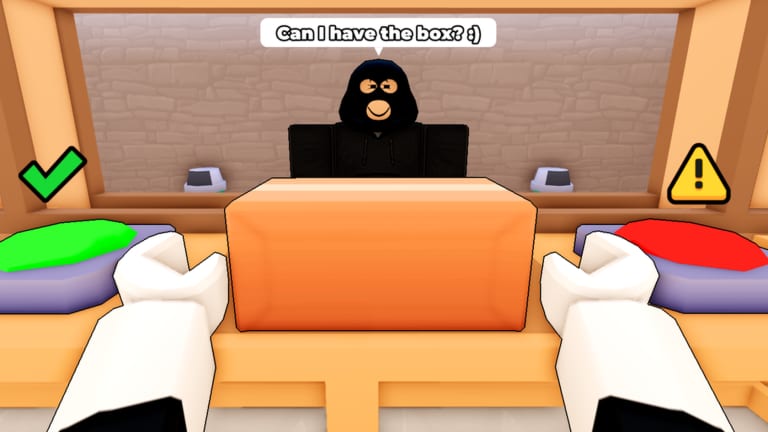
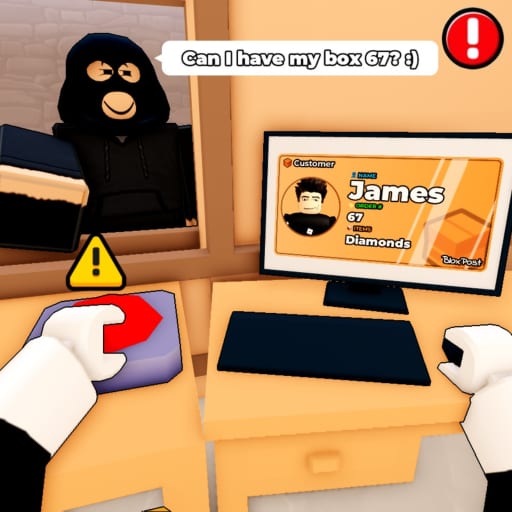
Surviving Mail or Jail is not about perfect heroics on shift seven; it is about budgeting mistakes from the moment the morning truck arrives. Delivery Day Studios built a seven-shift campaign where random events, thief chases, and ID verification all compete for your attention. The game warns that too many errors end in termination, but the exact feeling of “one mistake away from fired” is something players learn through repetition. This shift tracker gives you a transparent mistake ledger so you can make strategic decisions instead of guessing whether the next slip ends your run.
Use the counter panel during live play. Each time you mis-deliver, mis-identify, accuse the wrong player of theft, ignore a critical event step, or fail a timed unload, press the add button and note the category aloud. Pair the tracker with the ID checklist to reduce identity errors and with the tools hub overview for the full workflow.
Interactive shift tracker
Current shift: 1 / 7
Mistakes this shift: 0
Total mistakes this run: 0
The panel is intentionally simple. Fancy analytics cannot save a run when you are already over the mistake threshold. What helps is hearing the count increment and choosing to slow down before the game forces a firing animation.
Understanding the seven-shift arc
Shift one introduces truck unloading and basic handoffs. Most players finish with zero or one mistake while learning camera angles. Shift two adds tighter customer queues and first thief tutorials. Shift three is where ID near-matches become common. Shift four stacks random events that alter lighting or duplicate NPCs. Shift five reduces forgiveness according to community consensus after the July 2026 launch. Shift six combines thieves with event timers. Shift seven is the certification exam: every system active, fewer seconds between deliveries, and higher visibility on errors.
The review page breaks down how this curve feels in practice, including platform differences on mobile versus desktop. Read it before you attempt a marathon clear so you know which shifts deserve warm-up replays.
Mistake categories to log
Wrong delivery covers handing a parcel to someone who failed ID checks or walked away with another customer’s box. These are the most common tracker entries in early learning.
ID verification failure means you approved a bad match or rejected a valid one. Log both; the game counts either as player error.
Thief mistake includes letting a thief escape with mail, jailing an innocent player, or chasing the wrong decoy during an event.
Event failure covers missed instructions when random shifts modify rules — fogged IDs, reversed queue order, or damaged parcels.
Unload or timing failure happens when the morning truck timer expires or parcels scatter before you secure them.
Tagging categories in voice chat helps duo groups debrief without blaming the wrong mechanic.
Strategy by mistake count
After one mistake early in a shift, switch to checklist mode and stop optional thief heroics. Secure deliveries first.
After two mistakes in mid shifts, consider abandoning the run if you are practicing for a perfect clear. Grinding a doomed shift seven attempt wastes time.
After three mistakes, many players report imminent firing in later shifts. Slow every ID to a full ten-step pass and skip side conversations.
The tracker cannot know hidden internal thresholds if Delivery Day Studios patches them. When updates land — including the August 2, 2026 revision noted on the updates hub — re-calibrate your limits by running test shifts and logging outcomes.
Pacing and breaks
Seven consecutive shifts strain focus. Schedule a two-minute break between shifts four and five to reset eyes and hydrate. Use the tracker reset only when you start a brand-new attempt from shift one; mid-run resets lie to you about cumulative fatigue.
Console and mobile players suffer more mis-taps. If your mistake log shows mis-clicks rather than logic errors, adjust control sensitivity in Roblox settings before blaming game difficulty.
Co-op and streaming etiquette
Streamers should keep the tracker visible for chat accountability. Friends in voice can call “add mistake” when they see a slip you missed. Do not treat the tracker as competitive scoring; it is a safety rail.
When teaching new players, let them hold the counter while you narrate checklist steps from the ID checklist page. Ownership of the number teaches responsibility faster than verbal scolding after a firing.
Alternatives to automation
Some players search for scripts to auto-count mistakes or auto-verify IDs. The scripts page documents why no trustworthy dedicated Mail or Jail script appeared on major hubs as of August 2026 and why automation risks account moderation. Manual tracking keeps your skills aligned with legitimate clears and avoids malware loaders disguised as “shift helpers.”
Post-run review ritual
After a firing or a full clear, export the mental log from the HTML list. Ask which mistake type appeared most. If thieves dominate, spend the next run patrolling during queues. If IDs dominate, drill the checklist between shifts. If events dominate, read patch notes on the updates page and replay shift four until new modifiers feel familiar.
Link your personal best runs to the official experience through the links directory so friends join the same place ID. Celebrate seven-shift clears with a screenshot, not a dubious executor.
Long-term improvement
Players who finish all seven shifts consistently treat the tracker as a temporary scaffold. They remove it once three consecutive clears finish with one or fewer total mistakes. Until you reach that bar, the counter is cheaper than replaying shift one after an avoidable firing on shift six.
Mail or Jail rewards calm clerks, not frantic couriers. Track mistakes, learn the pattern, and the jail half of the title becomes a rare joke instead of your default ending.
Frequently Asked Questions
Quick answers players ask after every shift.
Does the shift tracker connect to Roblox stats?
No. It is a local wiki tool. You press the buttons when you notice an error in-game.
When should I press Next shift?
Press it after the game advances you to a new shift and you reset the per-shift mistake counter mentally.
How many mistakes get you fired?
The game does not publish exact numbers. Track your own results and adjust after reading the [updates page](/updates/) when patches mention balance.
Can I use this for speedruns?
Yes, but speedrunners still need clean IDs. Pair speed with the [ID checklist](/tools/id-checklist/) rather than skipping verification.