Mail or Jail Avoid Getting Fired
Manage mistake limits and keep your Mail or Jail job through shift seven.
What FIRED means in Mail or Jail
FIRED is Mail or Jail’s fail state — the moment Delivery Day Studios ends your postal career run for exceeding mistake tolerance. It is not a random punishment; the game warns you incrementally with on-screen MISTAKE feedback, end-of-shift summaries, and sometimes supervisor dialogue.
The simulation (place 70663806238212, universe 10450718227) expects you to unload trucks, check customer IDs carefully, deliver mail accurately, catch package thieves, and navigate random events across seven shifts. Each error nudges you closer to termination. Platforms (desktop, mobile, tablet, console) use the same rules.
Understanding firing math is how you turn a chaotic sim with ~2.3M visits into a completable week. This guide explains mistake types, budgeting, recovery, and myths — especially fake relief from codes or scripts.
Mistake sources (ranked by frequency)
- Wrong ID / misdelivery — see Check customer IDs
- Lost mail to thieves — see Catch package thieves
- Failed event objectives — see Handle random events
- Rushed unload mis-sorts — see How to play
Fix highest-frequency errors first; perfect thief chases cannot save you from daily ID slips.
How mistake budgets feel in practice
Exact numbers can shift when Updates rebalance difficulty, but player reports describe a forgiving early shift band tightening through shifts 5–7. Treat visible mistake popups as permanent unless UI explicitly says “warning only.”
Use Tools mistake tracker every shift:
- Green zone: continue normal pace
- Yellow zone: slow IDs, skip optional risks
- Red zone: play for learning or restart career before losing shift 7 attempt
Rules to stay employed
Rule 1: ID triangle every time
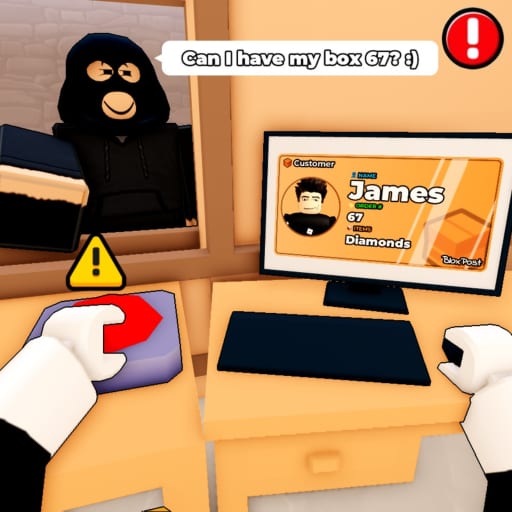
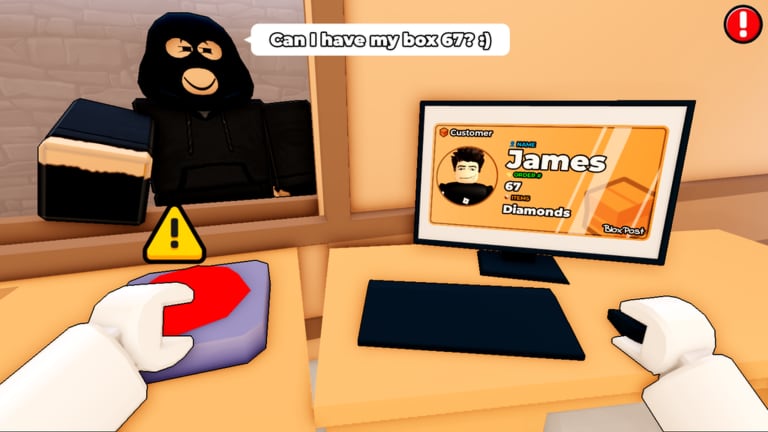
No “probably right” handoffs during rush hours or events. The triangle method in Check customer IDs is non-negotiable when yellow or red on tracker.
Rule 2: Thieves are second priority
Chase only when mail is actively stolen or a thief exits with a package. Queue integrity beats heroic sprints — details in Catch package thieves.
Rule 3: Events freeze new risk
When inspection or weather triggers, pause new deliveries until prompt resolves (Handle random events).
Rule 4: Bank time on shifts 1–2
Arrive late but clean on early days to preserve margin — strategy from Survive seven shifts.
Rule 5: Platform clarity
Blurry mobile text causes fake “game difficulty.” Fix Roblox UI scale via Controls before blaming mechanics.
Recovery when you slip once
Single mistakes happen. Response plan:
- Read popup text — some warnings differ from counted mistakes
- Update Tools tally immediately
- Next three customers: verbalize names aloud, double unit digits
- Avoid optional side objectives until shift review clears you
Two mistakes in one shift: switch to ultra-slow mode even if coworkers queue. Getting FIRED wastes more time than one impatient avatar leaving.
When to restart the career
Restart if:
- Shift 3 ends yellow with five shifts remaining
- You lost two packages to thieves and misdelivered once same shift
- Fatigue misreads stack (close the app, return tomorrow)
Continuing tilted runs teaches bad muscle memory.
Seven-shift context
Firing ends the current week attempt, not necessarily all Roblox progress items like cosmetics from Group bonus. Rejoin, re-like, re-group if needed, then apply lessons.
Shift-specific expectations: Shifts hub. Macro pacing: Survive seven shifts.
Myths that waste time
| Myth | Truth |
|---|---|
| Promo codes reset mistakes | Codes hub empty Aug 2026; codes never erase errors |
| Liking game removes FIRED | Like/join helps perks only (Group bonus) |
| Scripts fix firing | Exploits risk bans; they do not teach ID skill |
| Ignoring thieves is fine | Theft mistakes stack silently |
| Events are optional flavor | Failed inspections count |
Multiplayer and firing
Other players cannot directly fire you, but they can cause distraction mistakes. Mute toxic chat, swap servers, focus on your counter space.
Emotional tilt management
Mail or Jail is designed to stress you — ~14k favorites shows a committed niche, not a casual idle game. Stand up between shifts, hydrate, return with fresh eyes for digit checks.
Read Review to normalize difficulty spikes; you are not alone if shift 5 ended your first attempt.
Checklist before high-stakes shifts (6–7)
- Mistake tracker green entering shift
- Sound on for thief audio
- Graphics readable for ID text
- Read latest Updates for balance changes
- No untested Scripts running
After getting fired anyway
Watch failure summary screen noting mistake categories. Drill the top category guide next run. Consider shorter sessions on mobile/tablet if misclicks dominated.
Bookmark Guides hub route: play → IDs → thieves → events → seven shifts → this page as refresher.
Related pages
Frequently Asked Questions
Quick answers players ask after every shift.
How many mistakes get you fired in Mail or Jail?
The limit varies by shift and updates, but mistakes accumulate visibly. Use the Tools tracker and slow down in yellow/red zones.
Does getting fired delete all progress?
It ends the current seven-shift attempt. Cosmetics or group perks may remain depending on account progress.
Can group bonus prevent firing?
No. Joining Delivery Day Studios group 372114481 may grant perks but does not disable mistake limits.
What is the fastest way to reduce mistakes?
Master ID verification first, then thief patrol, then event protocols—in that order.