How to Play Mail or Jail
Master the Delivery Day Studios shift loop from first truck unload to shift seven.
Game overview
Mail or Jail is a Roblox simulation published by Delivery Day Studios (Roblox group 372114481). You work a postal depot job where precision matters more than speed. The public place ID is 70663806238212 (universe 10450718227), playable on desktop, mobile, tablet, and console.
The fantasy is simple on paper and stressful in practice: keep your job. The game tracks mistakes across a multi-shift career. Too many errors — wrong ID, misdelivered package, ignored theft — ends your run with FIRED. Survive through seven shifts and you prove you can handle the depot’s chaos.
Community scale sits around 2.3 million visits and 14k favorites, so expect busy servers and occasional chaos during random events. Optional support steps (like the game, join the group) may grant small perks — see Group bonus — but they never override core mechanics.
Core gameplay loop
Every shift follows the same backbone. Learn it once and each new day becomes about execution, not discovery.
1. Unload the truck
When the shift timer starts, packages arrive on the truck. Move them to the sorting area without dropping flagged items. Stack neatly so labels face you — you will read names and addresses repeatedly during ID checks.
Rushing unload without reading labels causes downstream errors. Treat the truck as your first QA checkpoint, not a timed sprint you can ignore.
2. Check customer IDs carefully
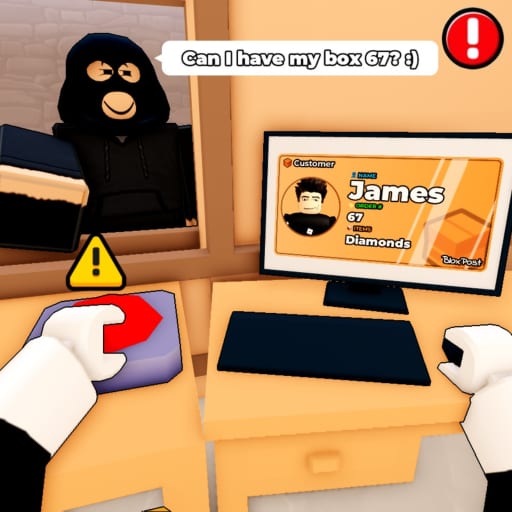
Before any handoff, compare the customer waiting at the counter with their ID card and the package label. Names, photos, and apartment numbers must align.
This step is the highest-leverage skill in Mail or Jail. Our dedicated guide Check customer IDs breaks down common decoys and double-check habits. One bad handoff adds a mistake toward FIRED.
3. Deliver mail to the right people
Matching package to recipient is not optional flavor — it is the scoring heart. Some customers share surnames or similar uniforms. When in doubt, re-open the ID panel instead of guessing.
Chain deliveries efficiently: finish verification at the counter, mark the package delivered, then grab the next box without clogging the queue. Idle time sometimes triggers thief spawns or random events that punish backlogs.
4. Catch package thieves
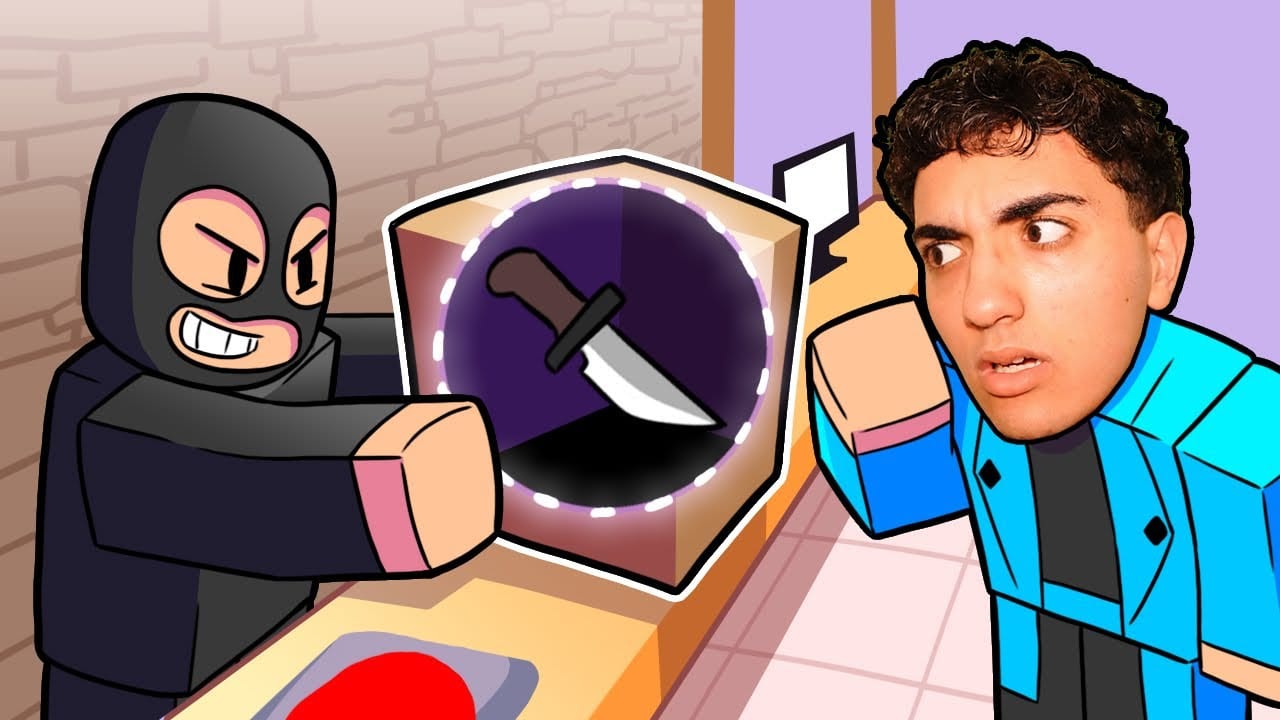
NPC thieves swipe parcels if you leave the table unattended or ignore warnings. Chase, interact, or use depot tools to recover mail before the shift clock penalizes you.
Read Catch package thieves for spawn tells and patrol routes. Theft mistakes often stack silently until the end-of-shift review surprises you.
5. Survive random events
Mid-shift events — inspections, weather, VIP rushes — interrupt rhythm. Pause sorting, read the on-screen prompt, stabilize the depot, then resume ID protocol. Never skip verification because an event timer flashes red.
Handle random events catalogs patterns and safe defaults when you have not seen a specific event before.
6. Finish seven shifts
Your long-form goal is completing seven shifts without termination. Early shifts teach systems; later shifts compress timers and tighten mistake tolerance.
Pacing guide: Survive seven shifts. Shift-by-shift notes live on Shifts hub when you need granular expectations.
First session checklist
Use this on your literal first login:
- Complete the tutorial interaction without skipping text — it demonstrates mistake feedback.
- Open Controls on your platform so you know sprint, interact, and UI buttons.
- Like the game and join group 372114481 if you want Group bonus perks.
- Run one clean shift prioritizing zero ID errors over speed.
- Log mistakes in Tools so you learn your personal fire threshold.
Do not hunt codes first — as of August 2026 there are no verified active promo codes. Skills transfer every patch; fake strings do not.
Mistakes and getting fired
Mail or Jail uses cumulative mistake tracking. Not every error weighs equally, but all visible “MISTAKE” popups move you toward termination. End-of-shift summaries show what counted.
Recovery tactics live in Avoid getting fired. General rule: after two mistakes in one shift, switch to slow mode — re-read every ID even if coworkers queue behind you.
Multiplayer and server behavior
Servers are shared. Other players may crowd the counter or trigger shared events. Stay in your lane literally: finish your verification before reacting to chat distractions.
Performance tip for mobile/tablet: lower Roblox graphics slightly if frame drops make ID text unreadable — misreads cause real mistakes.
After your first fired screen
Getting FIRED is a teaching tool, not a game over forever. Rejoin, identify which step failed (usually ID or theft), drill that guide, then attempt shift one again.
Watch a gameplay embed mid-article if you prefer visual learning, then re-read Check customer IDs with the video paused between steps.
Advanced goals
Once you clear seven shifts:
- Push for mistake-free weeks tracked in Tools
- Read Events hub for rare spawn preparation
- Follow Updates so balance changes do not surprise you
- Skim Review to compare your experience with broader player sentiment
Avoid Scripts if you care about fair progression — exploits can ruin timing practice and violate Roblox rules.
Related pages
- Guides hub
- Check customer IDs
- Catch package thieves
- Survive seven shifts
- Links for the official Roblox page
Frequently Asked Questions
Quick answers players ask after every shift.
What is the main goal in Mail or Jail?
Complete seven shifts while making fewer mistakes than the firing limit. Accuracy on IDs and deliveries matters most.
Can I play Mail or Jail on phone?
Yes. The game supports mobile and tablet alongside desktop and console. See Controls for touch layouts.
Does liking the game help gameplay?
It may unlock official engagement perks via Delivery Day Studios. It does not remove mistake tracking.
Where do I learn inputs and keybinds?
Open the Controls hub for platform-specific buttons and interaction tips.